Contract Generation
The Contract Generation feature streamlines the process of creating and managing employment contracts for your organization’s resources. This feature is available once you have successfully added a resource to the system.
Generating and Managing Contracts
Once the resource is created, you can access the View Resource section, where all the details of the resource are displayed. Here, you’ll find two key actions related to contract management:
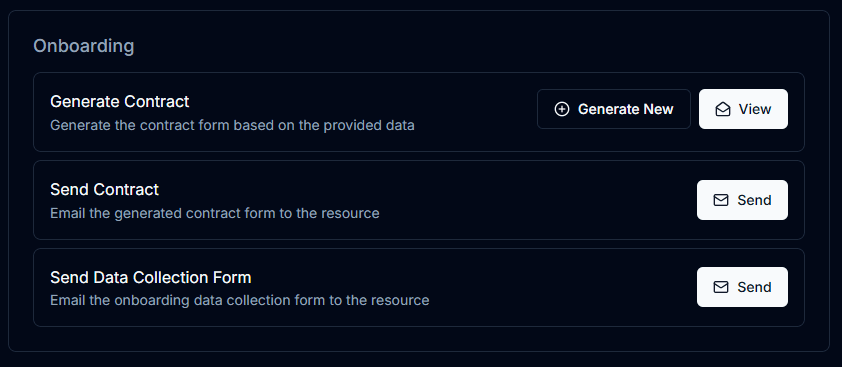
1. Generate Contract
A button labeled Generate Contract allows you to create a professional PDF contract tailored to your organization’s styles and designs. With just one click, the app generates a complete contract document using the details provided in the Contract Details section and the resource’s personal information.
2. Send Contract
After generating the contract, you can immediately send it to the resource via email by clicking the Send Contract button. The system uses the email address provided in the Personal Info section during resource creation.
3. Slackbot Notifications
Whenever you generate or send a contract, a notification is automatically added to your organization’s linked Slackbot channel. This notification ensures that your team can keep track of contracts sent and to whom they were delivered, improving transparency and accountability.
Benefits of Contract Generation
- Efficiency: One-click generation and delivery of contracts.
- Customization: Contracts follow your organization’s branding and style guidelines.
- Automation: Automatically uses resource details to populate contract fields.
- Convenience: No need to switch between platforms for emailing contracts.
- Tracking: Integrated Slackbot notifications provide real-time updates on contract generation and delivery.